Billing information
In the billing information page, you can verify information related to your billing and register your credit card.
info
Kuroco usage fees are monitored daily. If your usage exceeds the free limit, maintenance mode will be automatically activated.
By registering your credit card, you can deactivate maintenance mode triggered by exceeding the free limit.
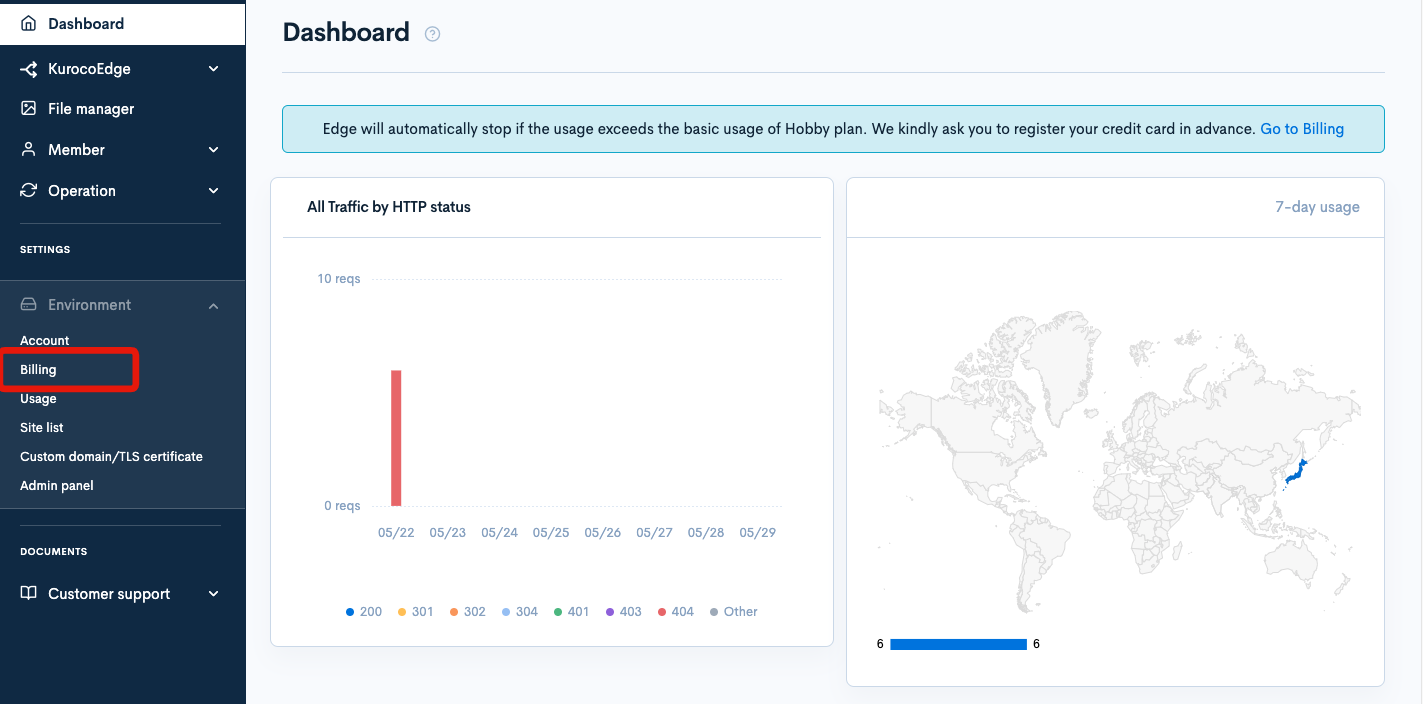
Accessing the screen
In the left sidebar menu, select [Environment] -> [Billing].
Field descriptions
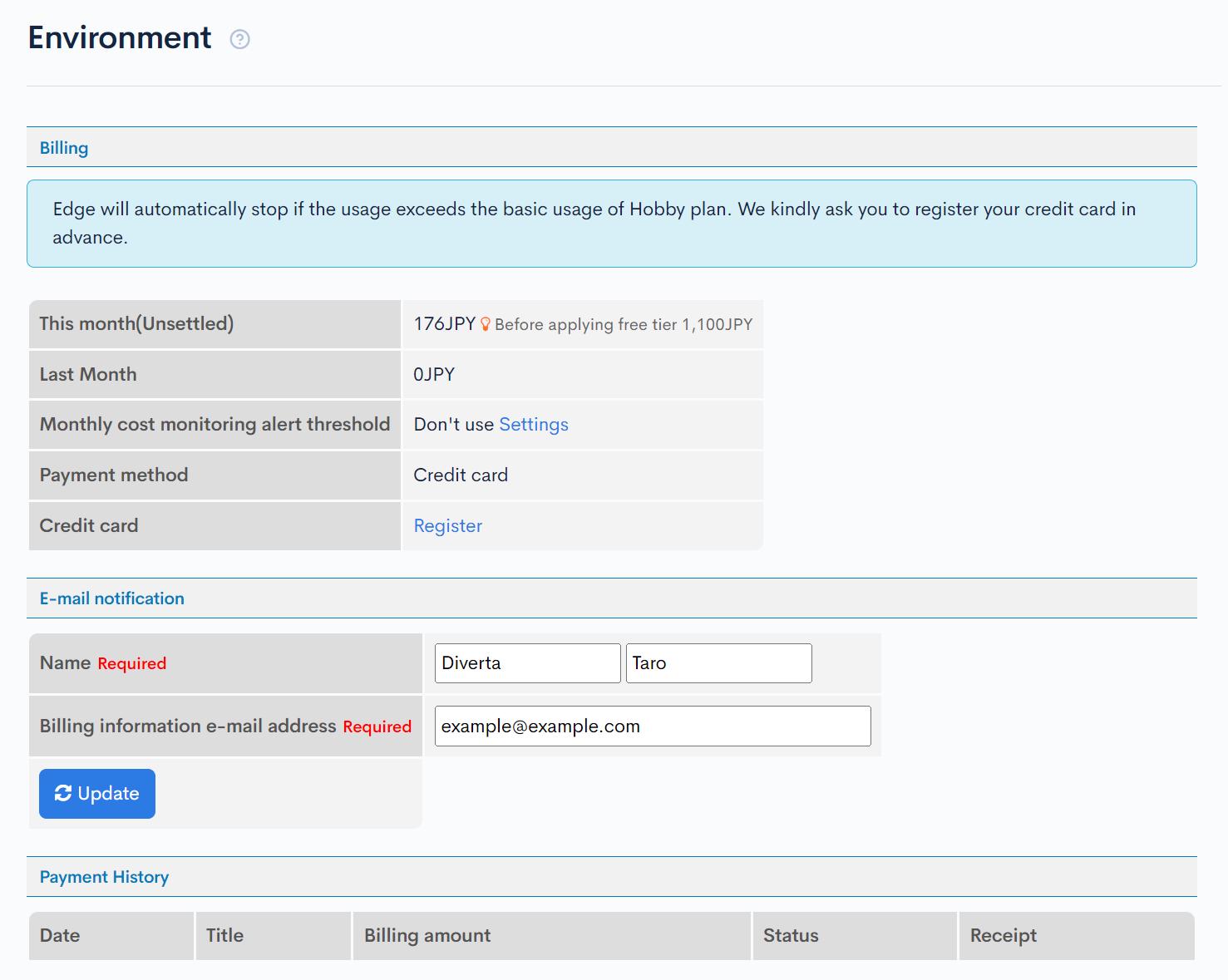
Billing information
| Field | Description |
|---|---|
| This month(Unsettled) | Displays the Kuroco usage fees for the current month. |
| Last Month | Displays the Kuroco usage fees for the previous month. |
| Monthly cost monitoring alert threshold | Displays the monthly cost monitoring alert threshold. Clicking "Settings" will take you to Account settings page, where you can configure this threshold. |
| Payment method | Displays the payment method. |
| Credit card | Click "Register" to navigate to the credit card registration screen. |
E-mail notification
| Field | Description |
|---|---|
| Name | Enter the name under which you would like email notifications sent. |
| Billing information e-mail address | Enter the email address to which email notifications will be sent. |
| Update | Click to update the email notification you have entered. |
Payment History
| Field | Description |
|---|---|
| Date | Displays the payment date. |
| Title | Displays the payment title. |
| Billing amount | Displays the billing amount. |
| Status | Displays the payment status. |
| Receipt | Click the "Receipt" link to view your receipt. |
Other Notes
If the billing amount for a given month is less than 50 yen, the charge will be carried over to the following month.
Support
If you have any other questions, please contact us or check out Our Discord Community.